
Generate a template from a file
Already have the document you want? Instead of rebuilding it by hand, upload it and let Pagr generate a template from it. Pagr reads your file and recreates its layout as an editable Pagr template — a fast way to reproduce an existing form, report, or design without starting from a blank page.
This is one of the starting points in the New Template panel, alongside Blank and From example.
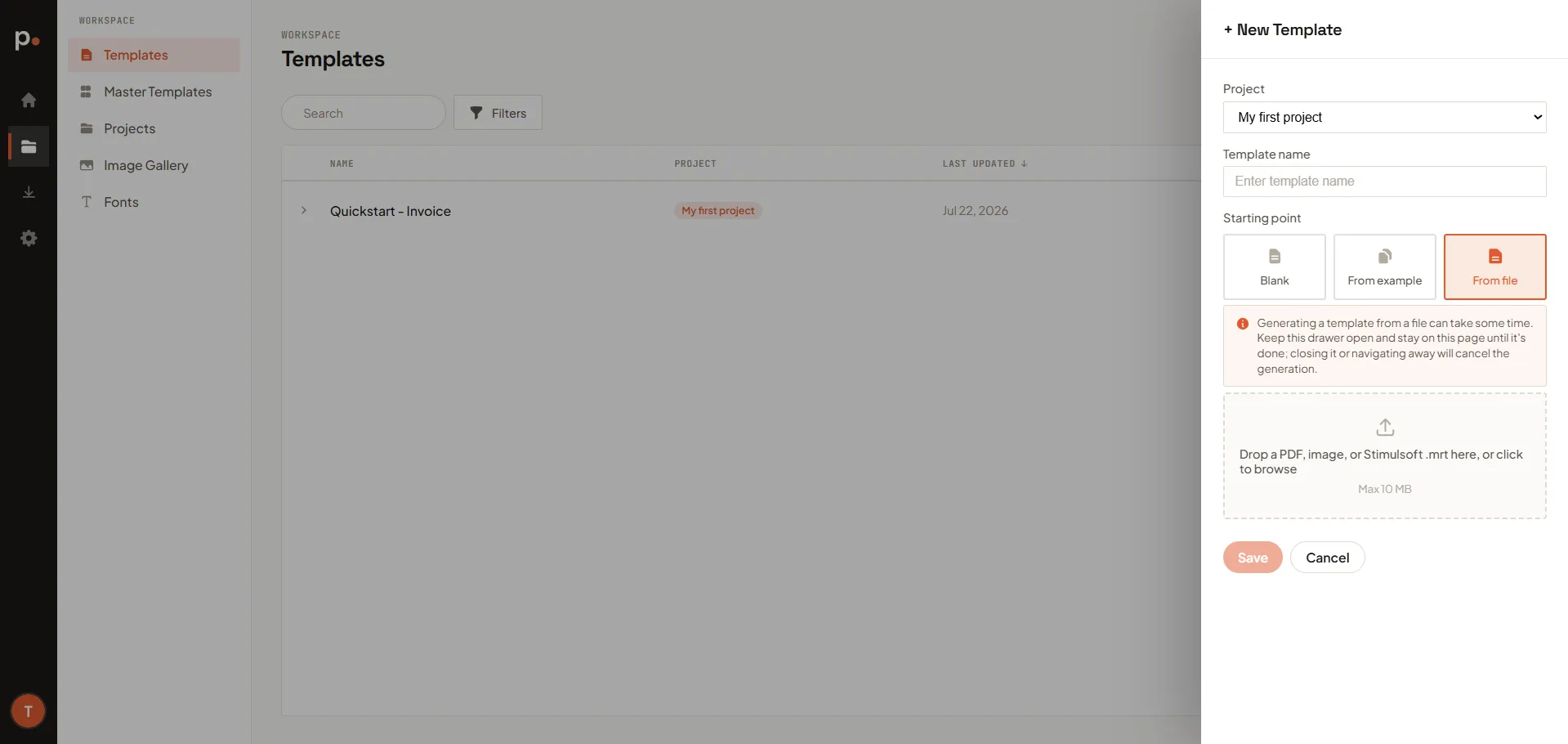
What you can upload
Section titled “What you can upload”Drop a file onto the upload area, or click to browse. Pagr accepts:
- A PDF — for example an existing form, contract, or report.
- An image of a document or design.
- A Stimulsoft
.mrtreport template.
The file must be 10 MB or smaller.
Generate the template
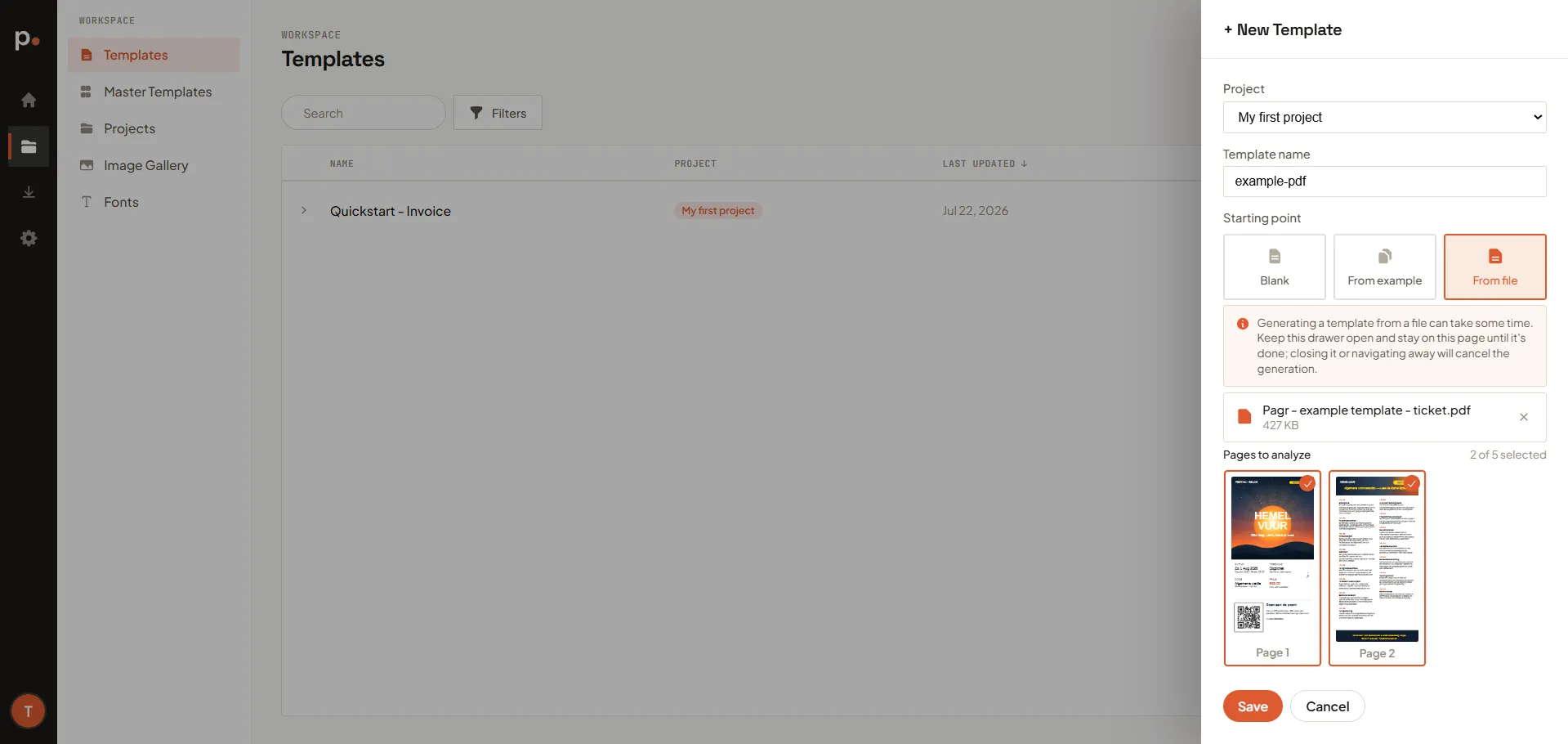
Section titled “Generate the template”- On the Templates page, click + New Template (you can also start from the Dashboard).
- Choose the Project the template belongs to and enter a Template name.
- Under Starting point, choose From file.
- Upload your file — drag it onto the upload area or click to browse and pick it from your device.
- Click Save to start the generation.
After it’s generated
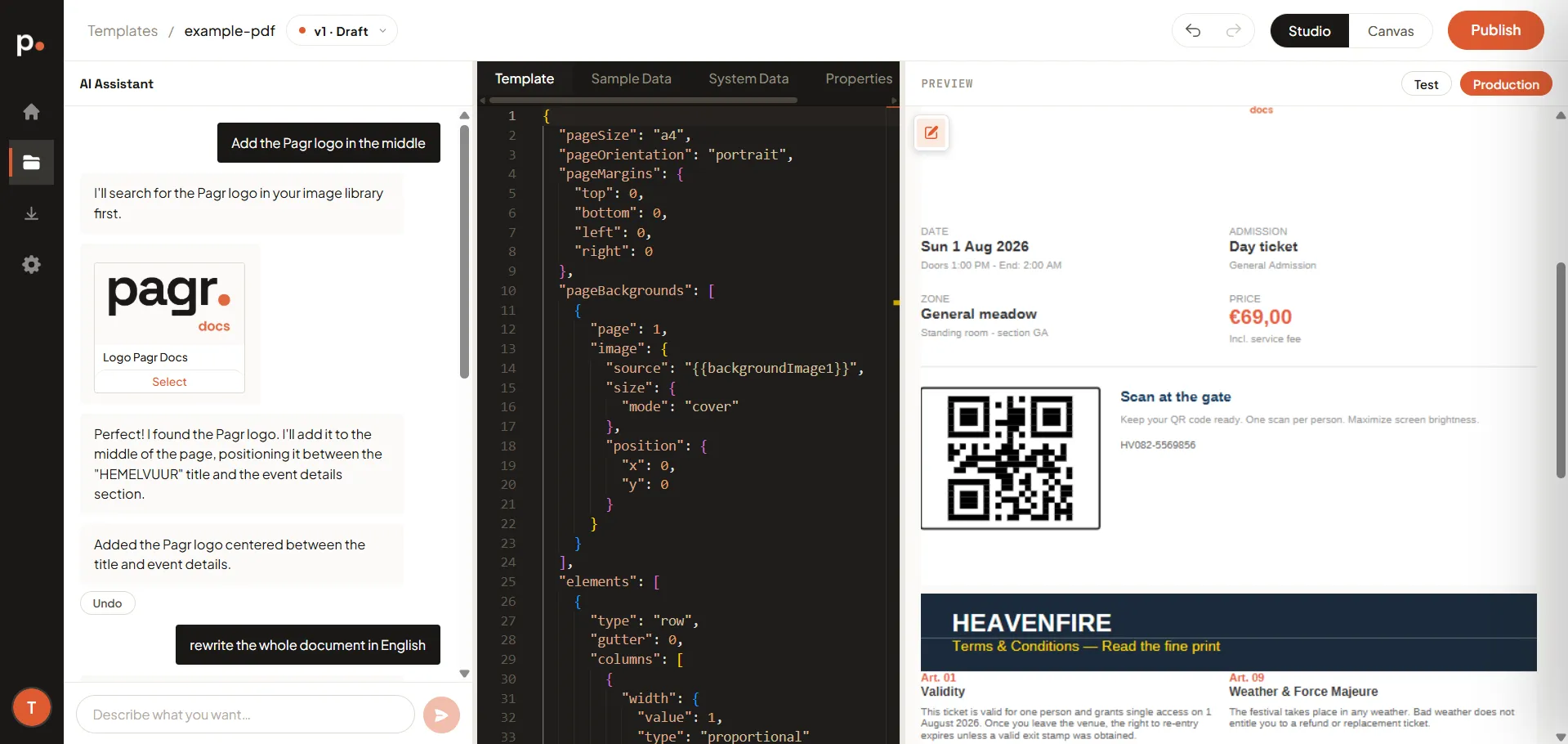
Section titled “After it’s generated”When generation finishes, the new template opens in the template editor. From there it behaves like any other template:
- Refine the layout and wording with the AI Assistant (“move the logo to the top right”, “make the totals bold”).
- Turn the parts that change per document into variables.
- Render it to produce documents, and publish a version once you’re happy.
Related articles
Section titled “Related articles”- Templates — versions, the editor, rendering, and publishing.
- Master Templates — share layout and branding across templates.
- Image Gallery and Fonts — reusable assets for your templates.