
Render Events
Where Renders lists the finished documents, Render Events logs every render operation — including ones that are still running or that failed. It’s the place to look when a render didn’t produce the document you expected, or you want to check how long renders are taking.
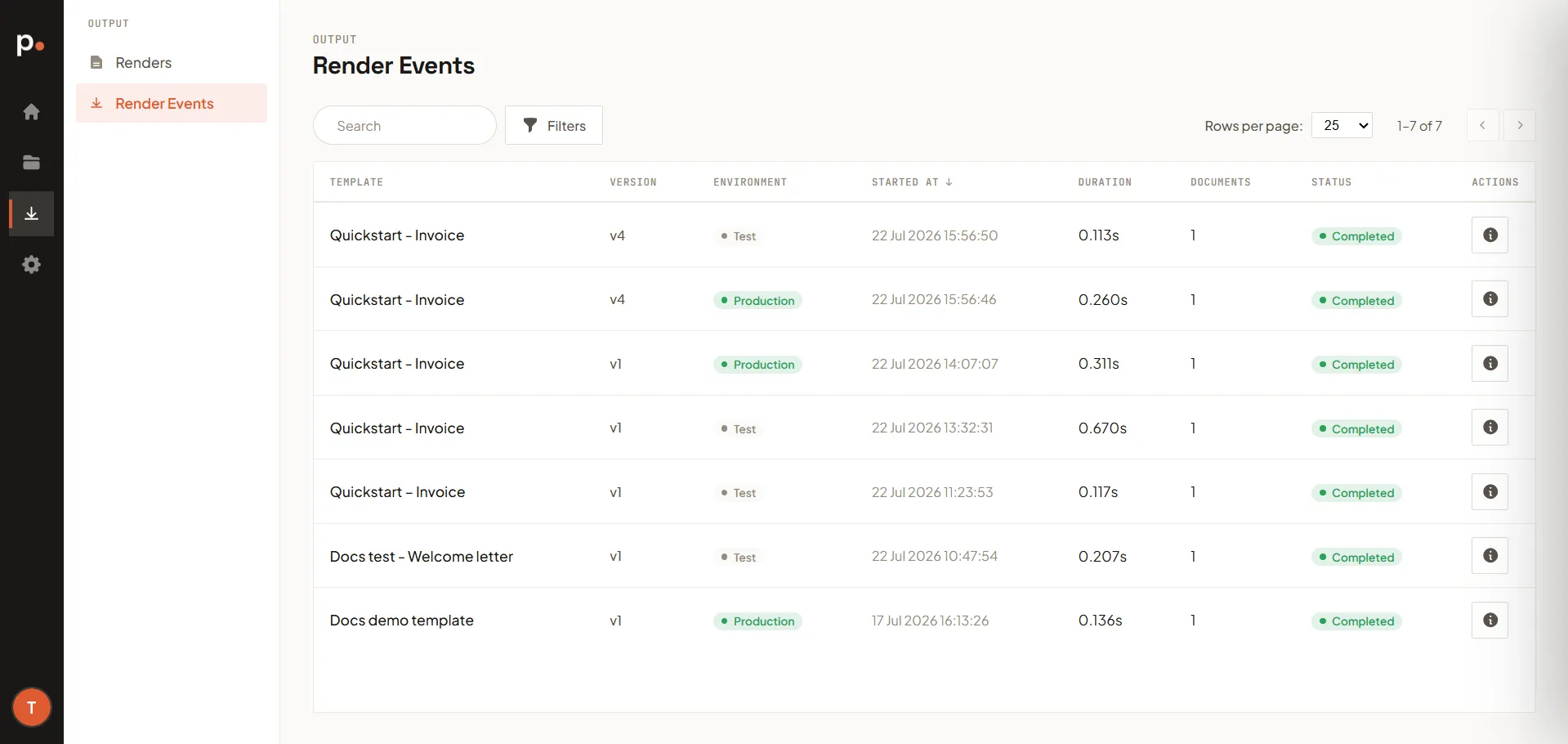
The render events list
Section titled “The render events list”Each event shows:
- Template and Version — what was rendered.
- Environment — Test or Production.
- Started at — when the operation began.
- Duration — how long it took.
- Documents — how many documents the operation produced. A single operation can produce more than one document (for example, a batch render).
- Status — the outcome of the operation, such as in progress, completed, or failed.
- Actions — a Details button that opens the full event (see below).
Use Search and Filters to find a specific event.
Event details
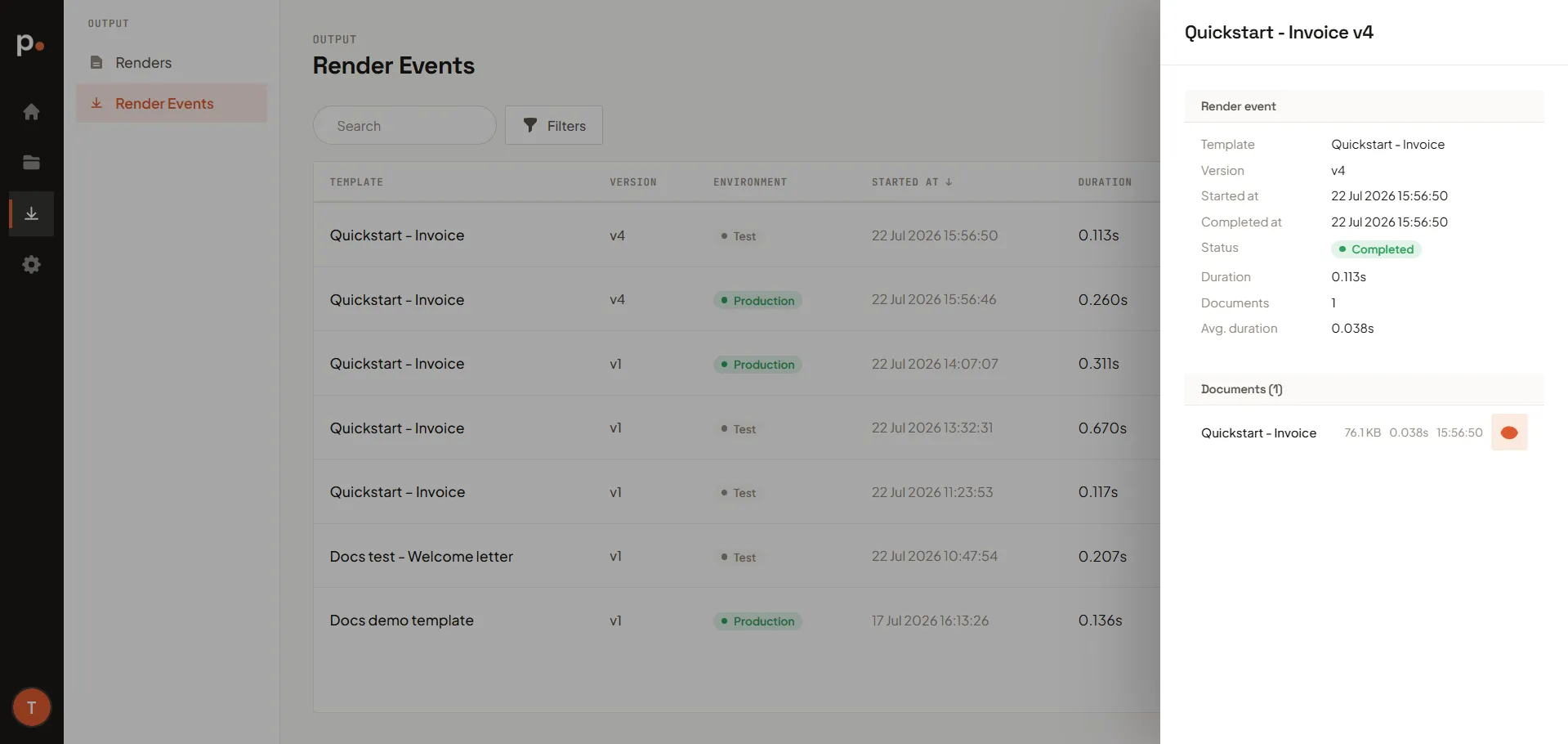
Section titled “Event details”Click Details on an event to open a panel with:
- Render event — the operation’s metadata: template, version, started at and completed at, status, total duration, number of documents, and the average duration per document.
- Documents — each document the operation produced, with its file size, duration, and time, plus a link to open the generated PDF.
When to use render events
Section titled “When to use render events”- A document is missing from Renders — check here for a failed or still-running event.
- Renders are slow — compare durations to spot which templates or versions are heavy.
- Verifying a batch — confirm the expected number of documents was produced.