
Password reset
If you’ve forgotten your password, you can reset it from the login screen.
1. Go to the login screen
Section titled “1. Go to the login screen”Go to pagr.eu and click Sign In, then enter your email address.
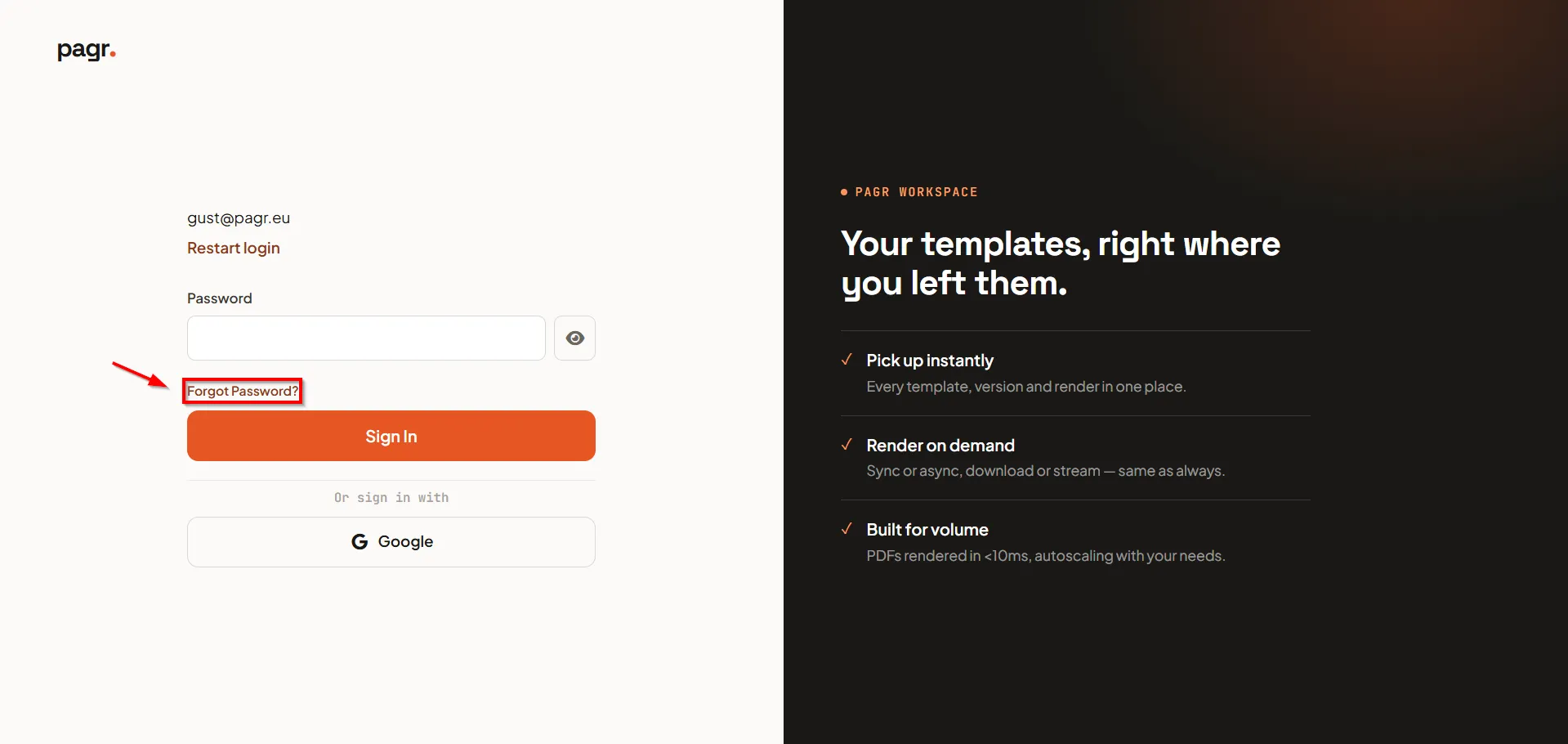
2. Click “Forgot Password?”
Section titled “2. Click “Forgot Password?””On the password screen, click Forgot Password?.
3. Submit your email
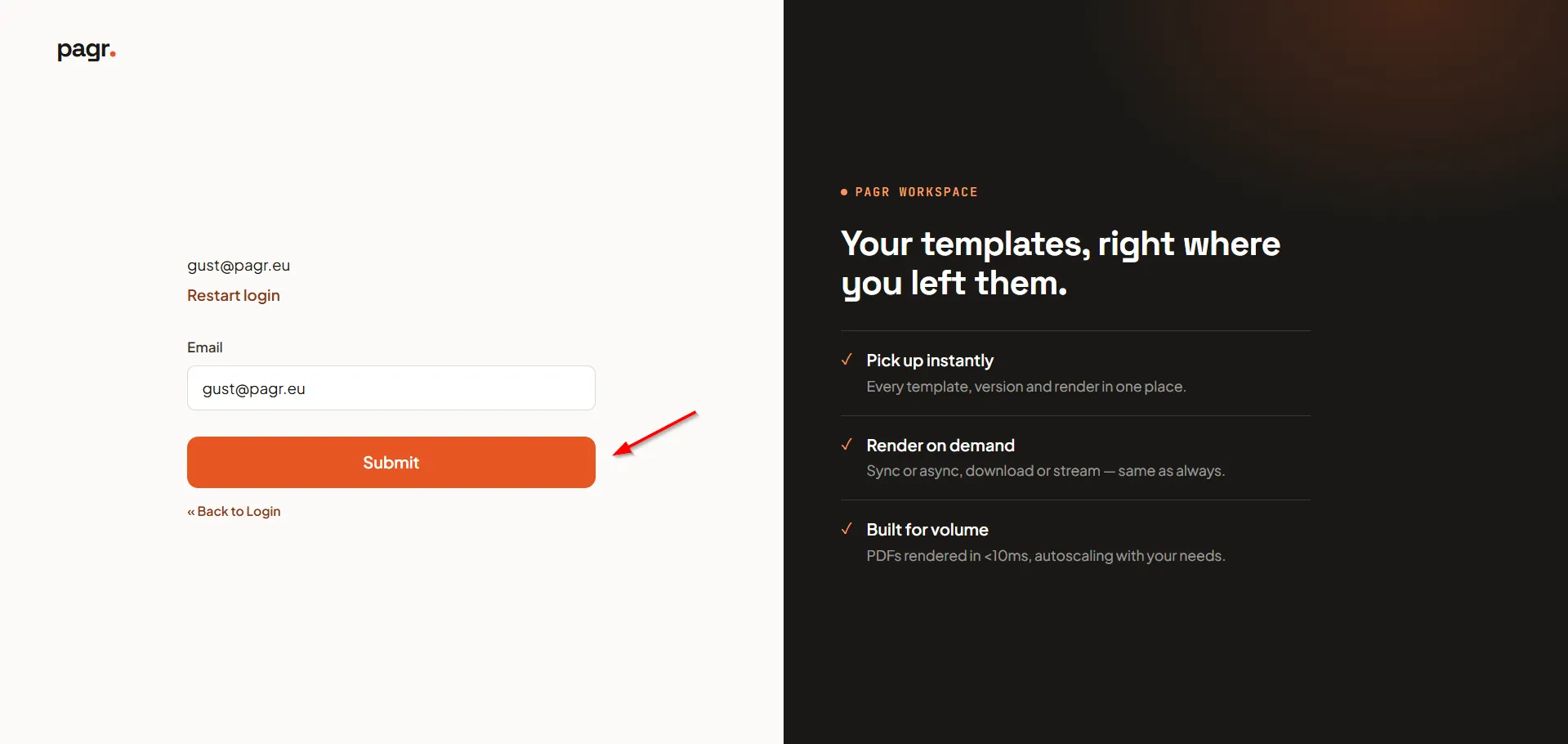
Section titled “3. Submit your email”Your email address is pre-filled. Click Submit to send yourself a password reset email.
4. Reset your password
Section titled “4. Reset your password”Open the email and follow the link to set a new password. Afterwards, you can log in with your new password.