
Billing
Settings → Billing is where you manage what you pay for: your plan, your payment details, and your invoices.
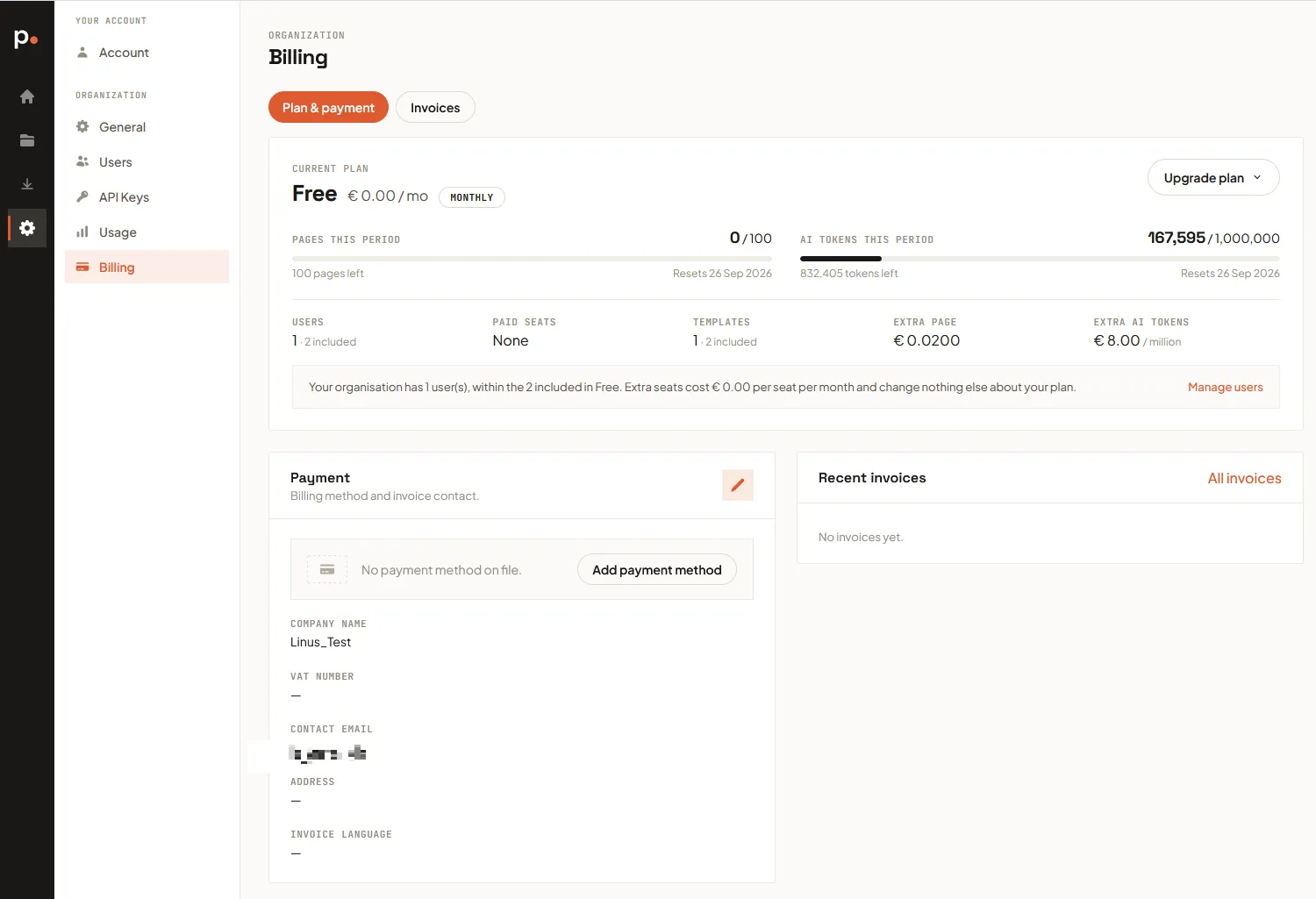
What your plan includes
Section titled “What your plan includes”Your plan gives you an allowance for each billing period:
- Pages — every page a production render produces. See How pages are counted.
- AI tokens — what the AI Assistant spends when it builds or changes a template. See How AI tokens are counted.
- Users and templates — limits rather than meters.
The Current plan card shows how much of each you’ve used and the date your allowance resets. It also shows what one extra page, or a million extra tokens, costs on your plan — the rates you pay if you top up.
When you run low
Section titled “When you run low”Two options, answering different problems:
- Top up — a one-off purchase of extra pages or tokens at your plan’s rates, for an unusually busy month. It doesn’t change your plan or its limits, and what you buy never expires.
- Upgrade — a bigger allowance every period, plus higher user and template limits and cheaper per-unit rates. If you’re topping up most months, upgrading is usually cheaper.
You can buy a top-up at the bottom of this page, or from Settings → Usage.
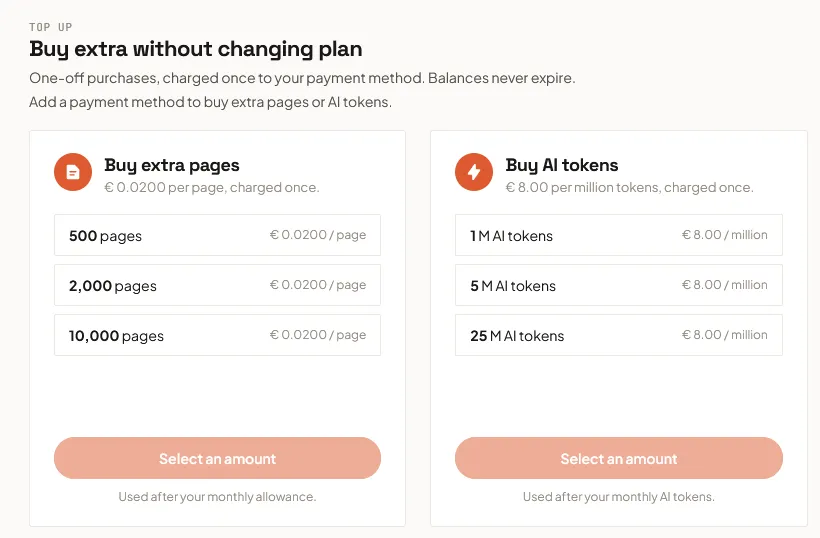
For the walkthrough, see Buy extra credits.
Changing plan
Section titled “Changing plan”Upgrade plan opens a panel listing every plan and what it includes, and shows what the change will cost before you commit.
You’ve already paid for the current period, so you’re only charged the difference for the days left in it. The new plan takes effect immediately, and from your next renewal you pay its normal price.
Moving to a smaller plan isn’t self-service — contact support and we’ll arrange it. To stop paying altogether, Cancel subscription ends your plan when the period you’ve paid for runs out; you keep full access until then.
Monthly or annual
Section titled “Monthly or annual”The same panel has a Monthly / Annual toggle. Annual works out cheaper over a year, and the saving is shown beside it.
Switching charges you nothing now and doesn’t cut your current period short: you finish the period you’ve paid for, and the new cycle starts at the next renewal. Until then the plan card shows the pending switch, and you can still cancel it.
Extra users
Section titled “Extra users”Your plan includes a set number of users. You can add more — each one beyond that count is a paid seat, charged on top of your plan price.
A new seat is charged pro-rata for the days left in the current period, then billed alongside your plan on every renewal after that. You’re always shown the amount before anything is charged. See Users.
Payment and invoices
Section titled “Payment and invoices”The Payment card holds the method you’re charged on, plus the company name, VAT number, and address that appear on your invoices. Click the pencil icon to edit them — Use organisation info fills them in from your General settings, and leaving the contact email blank sends invoices to your account’s email address instead.
The Invoices tab lists everything you’ve been charged, each with a PDF to download in your chosen invoice language. Every invoice is one that’s already been paid — Pagr doesn’t send bills for you to settle later.
If a payment fails
Section titled “If a payment fails”If a renewal can’t be collected, a banner appears and Pagr retries automatically over the following days. Your workspace keeps working in the meantime, and the banner tells you when the next attempt is due.
Updating your payment method is almost always the fix. If nothing is collected, the workspace is suspended until it is — nothing is deleted, and any credits you’d bought are still there when you come back.
Related articles
Section titled “Related articles”- Usage — where your pages and tokens actually went.
- Buy extra credits — topping up without changing plan.
- How pages are counted — what consumes a page, and what doesn’t.
- How AI tokens are counted — what consumes tokens, and why the cost varies.
- Users — adding teammates, and the seats they use.
- General settings — set your retention periods within your plan’s ceiling.